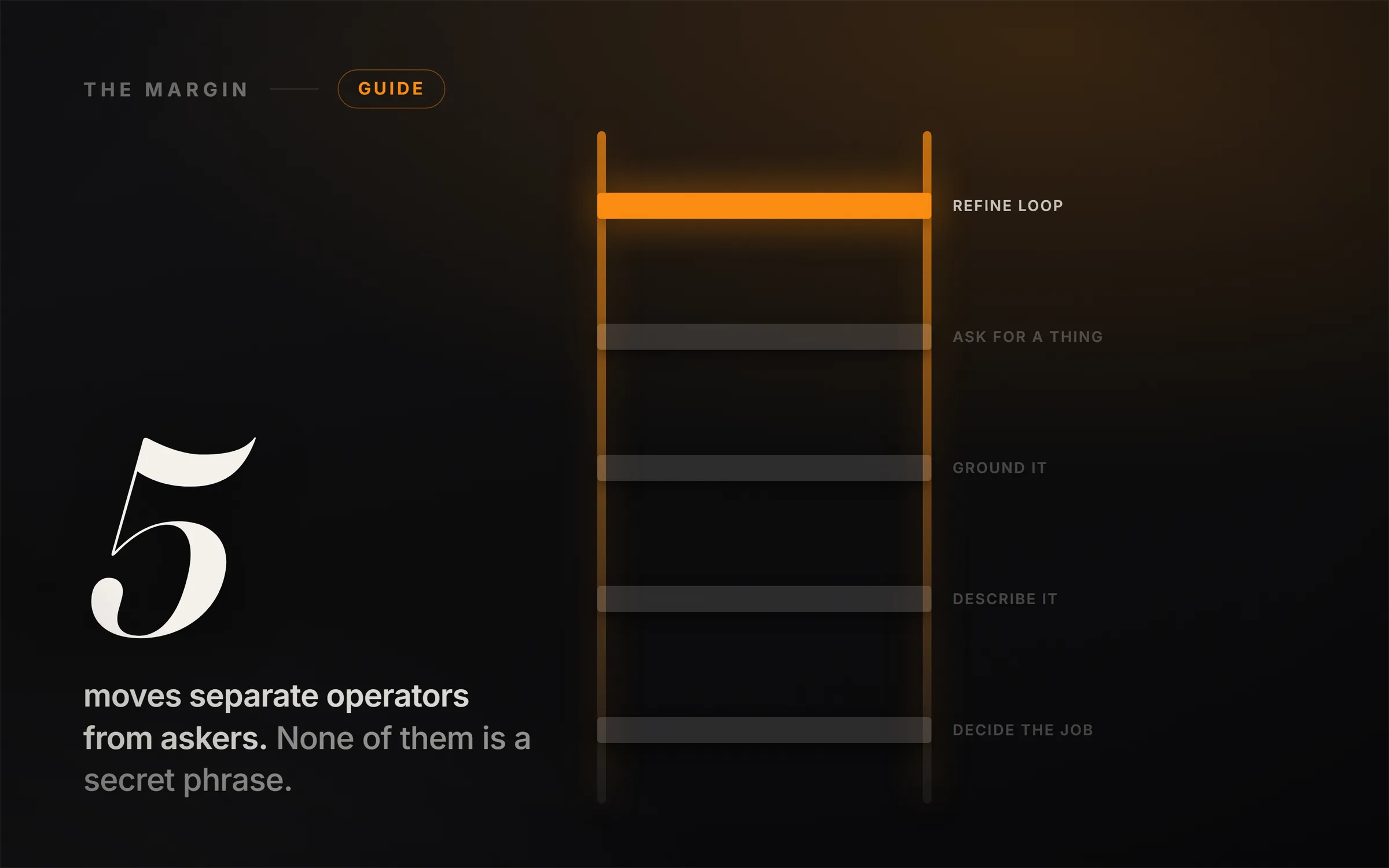
To prompt Claude well, make five moves in order: decide the job before you type; describe it with a role, one example and a standard; ground it in your own files; ask for a finished thing rather than an answer; and treat the first output as a draft to refine. Decide, describe, ground, make, refine.
There is a moment most people have with Claude in the first week. They ask it something reasonable, get back something that reads like a competent stranger wrote it, and think: this is fine, but it is not the thing everyone is excited about.
They are right, and the reason is almost never the model. It is that they are asking when they could be directing, and those produce completely different results from the same tool on the same day.
What follows is the whole method, in five moves. Each one is a habit rather than a trick, none of them takes long to learn, and they compound: the fifth move is worth much more once the first four are in place. Each section also has the free video lesson that teaches it, because some of this is genuinely easier to watch than to read.
What should you decide before prompting Claude?
This is the one nobody expects to be first, and it is the one that fixes the most.
A weak prompt is usually a prompt where the person had not yet decided what they actually wanted. "Write me something about our new product" contains no decision. Claude has to guess the outcome, the audience and the format, and it will guess reasonably and generically, because that is all guessing can produce.
The fix is three lines, decided before you type anything:
- The outcome. What exists at the end that did not exist before? A launch email. A one-page brief. A list of ten angles.
- The audience. Who reads it? "Our customers" is not an audience. "People who signed up two months ago and have not logged in since" is.
- The format. Email, bullet list, table, script, page. Say it, because if you do not, you will get prose by default and prose is often the wrong shape.
There is a fourth question underneath those three that saves even more time: is this an AI job at all? Some tasks are genuinely faster done by hand, and some need a different tool entirely. Knowing which is which is a skill in its own right, and it is the difference between using Claude and reaching for it reflexively.
The lesson works through the decision itself, including the split between what you should hand over and what you should keep. The free download for this module is The Operator's Map, a one-page reference for making that call before you type.
How do you describe a task to Claude so you stop re-prompting?
Here is the pattern that eats people's afternoons: prompt, read, not quite right, prompt again, closer, prompt again. Five rounds later they have something usable and they have spent longer than writing it themselves would have taken.
That loop is almost always caused by an under-described first prompt, and three additions close it.
Give it a role. "You are a customer support lead writing to a frustrated long-term customer" is a different instruction from "write a support email," and it changes tone, priorities and what gets mentioned first. This is not a magic incantation; it is context that a human colleague would have and Claude does not.
Show it one example. A single sample of the kind of thing you want does more work than three paragraphs describing it. If you have a previous email you were happy with, paste it and say "match this voice." Examples are the highest-leverage thing you can put in a prompt, and almost nobody uses them.
Set the standard. Say what "good" means for this specific piece. "Under 150 words, no apologies, one clear next step" is a standard. "Make it good" is not, and Claude will apply its own default standard instead of yours.
Role, example, standard. Add those three and the first output is usually the one you send.
The download here is The Description Recipe Card, which is fill-in templates for each of the three so you are not composing them from scratch each time.
How do you get Claude to use your own material?
This is where output stops being generic, and it is the move with the biggest quality jump per minute of effort.
Claude answering from general knowledge gives you the average of everything. Claude answering from your document, your numbers, your policy gives you something only you could have produced. The mechanism is simple: put the material in the conversation and tell Claude to work from it.
Four instructions make grounding actually reliable, and the last two matter more than people expect:
- Feed it the source. Add the document, the notes, the data to the conversation.
- Say "only from this." Without that line, Claude will happily blend your document with its general knowledge, and you will not be able to tell which parts came from where.
- Make it quote. Asking for the exact line each claim came from turns an answer you have to trust into an answer you can check in seconds.
- Give it permission to say it does not know. This is the one people skip. If the answer is not in your material, you want to be told that. An explicit "if it is not in the document, say so" is what makes the other three trustworthy.
That fourth line is the difference between a tool you can rely on and a tool you have to double-check, and it costs you eleven words. It is also, for what it is worth, one of the techniques Anthropic itself recommends: their prompting guidance explicitly advises giving Claude permission to say so "rather than speculating" when it does not know.
On what you can actually upload: a single conversation takes up to 20 files at up to 500MB each, PDFs up to 1,000 pages, and the common formats you would expect including PDF, DOCX, CSV, XLSX, TXT and images. Files added to a Project are capped lower, at 30MB each. None of those limits differ between the free and paid plans.
The download is The Ground-It Checklist, with the paste-ready wording for each of the four.
What can you ask Claude to make instead of an answer?
Most people use Claude exclusively as a producer of paragraphs. They ask a question, they get text, they copy the text somewhere else and do the actual work themselves.
That is leaving most of the value on the table, because Claude can hand you the finished object. A formatted document. A tracker with the columns already right. A checklist. A single working page you can look at. It builds these as Artifacts, which appear beside the conversation and can be revised in place rather than regenerated from scratch.
The shift in your head is small and the change in output is large. Instead of "how should I structure a client onboarding process," ask for the onboarding checklist itself. Instead of "what should I track for this project," ask for the tracker, with the columns filled in.
And the part people miss: once it exists, you refine it by talking to it. "Add a column for owner." "Make the tone warmer." "Split step three into two steps." You are editing a thing, not re-rolling a slot machine, and that is a fundamentally better way to work.
One setup step that catches people out, and it is recent. Artifacts now depend on a toggle: Anthropic's own documentation states they no longer support artifacts without code execution and file creation enabled in Settings, under Capabilities. If you ask for a tracker and get a wall of text instead of an object appearing beside the conversation, that switch is almost always why. Turn it on before you start this module. Any tutorial recorded before the change, including ours, shows artifacts simply appearing without it.
The download for this module is Artifact Starter Prompts: ready-to-paste openers for a document, a tracker, a one-page site, a checklist and a dashboard, each written to actually produce the object rather than a description of it.
How do you refine Claude's first answer?
The last move is a habit rather than a technique. Treat the first output as a draft. Almost everyone either accepts it or gives up on it, and the people who get remarkable results do neither. They react to it, specifically, and go again.
Reacting specifically is the skill. "Make it better" gets you a lateral move. "The second paragraph is doing two jobs, split it" gets you a better draft. Learning to say what is actually wrong is most of what separates people who find Claude useful from people who find it impressive-but-shallow.
Three techniques sit on top of that loop and are worth more than most of the prompt tips circulating online:
Get Claude to improve your prompt before it answers. Paste what you were about to send and ask it to make the prompt sharper first. It knows what information it is missing, and asking costs one extra step.
Make it interview you. Instead of trying to write the perfect brief, ask Claude to ask you questions until it has enough to do the job well. This is far easier than composing a complete description up front, and it usually surfaces a requirement you had not consciously articulated.
Let it think. For anything genuinely multi-step, telling Claude to reason through the problem before answering produces a different quality of output than demanding an immediate response.
The capstone download is The Complete Prompting Cheat Sheet, which is the whole method on one page: the five moves, the refine loop, and the check for whether an answer is actually any good.
What order should you prompt Claude in?
If you take one structural thing from this, take the sequence. Decide, describe, ground, make, refine.
People usually start at move two, because "how do I write a better prompt" is the question everyone asks. But describing well is worth much less when you have not decided what you want, and grounding beats both. The single highest-leverage habit on this page is the one that happens before you touch the keyboard.
It is also worth saying plainly: none of this is prompt engineering in the technical sense, and you do not need a course in it. There is no secret phrase. There is deciding what you want, saying it clearly, giving Claude the right material, asking for the right shape of output, and not accepting the first draft. That is the whole thing, and it is learnable in an afternoon.
This is close to what Anthropic itself recommends, which is worth knowing given how much contradictory prompting advice circulates. Their published guidance on prompt engineering names being explicit, providing context and motivation, being specific, using examples, and giving Claude permission to express uncertainty, which is four of the five moves above with the vocabulary changed. On examples in particular they are precise about the dose: "Start with one example (one-shot). Only add more examples (few-shot) if the output still doesn't match."
And their headline principle is the one worth pinning up, because it contradicts almost every long prompt template you will be sold:
The best prompt isn't the longest or most complex. It's the one that achieves your goals reliably with the minimum necessary structure.
What prompting features work on Claude's free plan?
Worth being concrete here, because the most annoying way to learn a tool is to follow a lesson and hit a wall the lesson never mentioned.
Everything taught above works on a free Claude account. Projects, Artifacts, file uploads, web search, code execution and file creation, memory across conversations, and connectors are all available without paying. That is unusual and it is why this course does not require a subscription to follow.
The free-plan limits worth knowing before you run into them:
- Five Projects maximum. Enough to learn on, and the cap you are most likely to hit first.
- One custom connector. Fine for the course, restrictive if you start wiring Claude into several tools.
- A smaller context window. The very large context windows are a paid-plan feature, so a free account holds less of a long document or conversation at once.
- Session-based usage limits that reset. Anthropic deliberately does not publish a message count, and it varies with demand, so anyone quoting you an exact number of free messages is guessing.
- Some things are paid-only entirely, including Claude Code and Claude Cowork. Neither is needed for anything in this course.
If and when you do upgrade, one thing to know in advance: the pricing page defaults to the annual toggle. The number you see first is the discounted annual rate, not the month-to-month price. That catches people out constantly, and not only with this product.
Watch the whole course free
Everything above is taught properly, on video, in the free Claude Prompting course at ideasrepay.com. Five modules, one per move, each with the download that goes with it: The Operator's Map, The Description Recipe Card, The Ground-It Checklist, Artifact Starter Prompts, and The Complete Prompting Cheat Sheet.
No account needed and no email required. Watch it, take the PDFs, and you are done. There is no gate and no upsell in the middle of it.
Come and point it at something
Here is the honest thing about prompting, and it is the reason this course is free rather than a product.
Getting good at directing Claude removes a bottleneck. It does not tell you what to build. Plenty of people become genuinely skilled at this and then sit with a capable tool and no idea what to do with it, which is a more frustrating place to be than not knowing how to prompt at all.
That next step is what ideasrepay.com is for. Everything there is a walkthrough rather than an article: you do not read about a business, you click through building one, with the tool stack and current prices, the prompts in the order you run them, the templates as real downloads, what to charge, and a first-week checklist that ends at a paying customer.
The natural next move from this course is free too. Our Build Your AI Team course walks you through building your first AI employee, the Writer, with the prompt pack included. It is where prompting stops being a skill you have and becomes a specialist that already knows your voice.
When you want the whole crew rather than one seat, that is The One-Person Studio: six AI specialists you set up once from the role prompts provided, the production pipeline from a blank idea to a published video, the four approval gates that keep the work original, and the route from your first upload to a monetized channel you own.
One payment of $99 opens that walkthrough and every other one we have published, plus every one we publish after it, across all three verticals: online businesses, YouTube and content, and offline work in the real world. Downloads and templates included, no renewals, no upsells, and you can email us while you build. That is launch pricing, and it moves to $199 after the first 500 members. There is a community building alongside you and I mentor through it personally.
If you would rather browse before committing, The Only 13 Ways to Make Money With AI maps the field, and The 6 Levels of Using Claude is the companion piece on where this skill goes once you have the basics.
Learn the five moves. Then go and point them at something worth building.