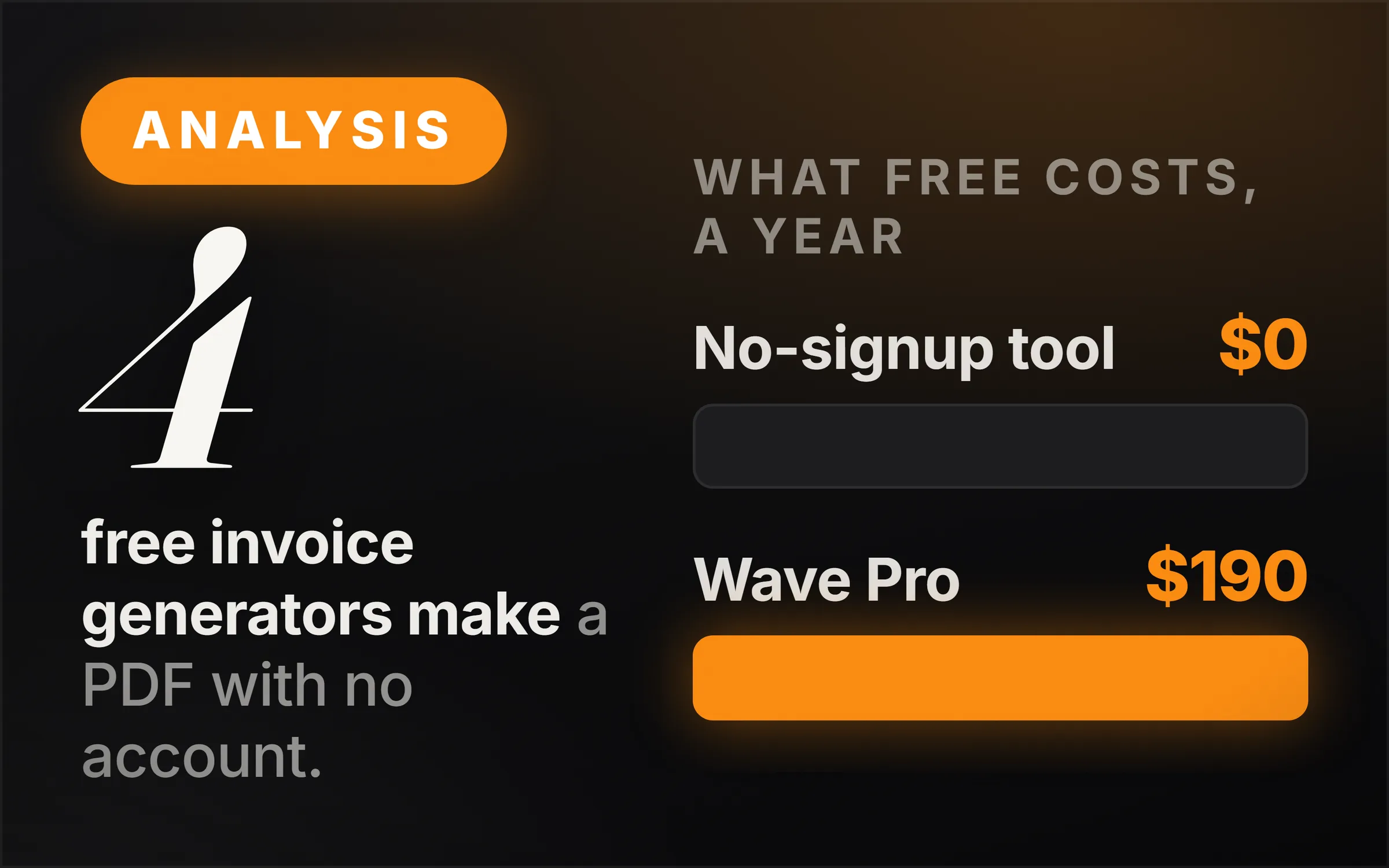
Four free invoice generators let you make and download an invoice with no account and $0 to pay, going by their own pages: Invoice-Generator.com, Invoice Simple, Zoho Invoice's free generator and our own Invoice Desk. All four make a PDF. They differ on three things that matter more than the template: where your client details are kept, whether anything that is not yours appears on the invoice, and what you are asked to sign up for next.
If you need to send invoices, take card payments and chase late ones, free accounting software beats any generator. Wave's free Starter plan, for example, offers unlimited invoices, but you sign up for it and card payments cost 2.9% + $0.60 each. The rest of this page compares the generators line by line, from what each one says on its own page.
What is the best free invoice generator with no signup?
Of the 4 generators that need no account, Invoice-Generator.com and our Invoice Desk are the most direct: both are free and both download without signing up. Ours also exports an editable Word file. Invoice Simple and Zoho work without an account too, but lead you towards one.
"Best" depends on what you will do with the invoice. If you send one invoice a month and pay by bank transfer, any of the four is enough, and the deciding question is what you are comfortable having on somebody else's server. If you invoice weekly and want to take cards, a generator is the wrong tool and the free accounting plans further down are the better fit.
Turning invoicing into a business of its own? The QuickBooks Bookkeeping Service walkthrough is the service of doing the books for other businesses, priced monthly.
Which free invoice generators need no account?
Four of the five tools we checked make an invoice with no account: Invoice-Generator.com, Invoice Simple, Zoho Invoice's generator and IdeasRepay's Invoice Desk. The fifth, Wave, is free accounting software with unlimited invoices on its $0 plan, and you sign up to use it.
| Tool | Price | Account needed to download? | Download formats | What its page says |
|---|---|---|---|---|
| Invoice-Generator.com | Free | No | "Create and download invoice PDFs for free with no signup required." | |
| Invoice Simple, invoice generator | Free | No (its FAQ answers for "a registered account or not") | PDF, email, link | "your generated invoices are always 100% unbranded" |
| Zoho Invoice, free generator | Free | No | Download or print | "Just add all the information to the invoice and download or print it" |
| IdeasRepay Invoice Desk | Free | No | PDF and Word (.docx) | No account, no watermark, nothing uploaded |
| Wave, Starter plan | $0 | Yes, it is an account product | Inside the app | "Create unlimited estimates, invoices, bills, and bookkeeping records" |
Read from each tool's own page on 14 October 2026: invoice-generator.com, invoicesimple.com/invoice-generator, zoho.com/invoice/invoice-generator.html, waveapps.com/pricing, and our own tool. Shopify's free invoice generator page displayed in Japanese from our location, so it is not in the table.
Every one of these generators also offers more if you sign up. Invoice-Generator.com has a Sign Up button for sending invoices and accepting payments online; Invoice Simple and Zoho Invoice are both full invoicing products with the generator as the front door. That is a fair trade, as long as you know which page you are on.
Do free invoice generators add a watermark?
Two of the four say outright that they do not. Invoice Simple's FAQ answers "Never" to whether clients will see its name, and adds: "Regardless of whether you have a registered account or not, your generated invoices are always 100% unbranded." Our Invoice Desk adds no watermark and no name. Invoice-Generator.com's page does not mention a watermark either way.
Zoho is the one to check. The preview on its generator page shows the line "Visit zoho.com/invoice to create truly professional invoices." under the invoice. We could not confirm from the page whether that line prints on the downloaded file, so download a test invoice and look before you send one to a client.
A line like that is not a disaster, but it does tell your client you used a free tool. For a business that charges premium prices, that is worth one minute of checking.
Where does your invoice data go?
On our Invoice Desk, nowhere: 0 servers. The draft stays in your own browser so a refresh does not lose it, and clearing it removes it. The other three generator pages we read do not say where an unsaved draft is kept, so assume a web tool that offers "Save & Send" can hold your client's name, address and your rates.
This matters more than it sounds. An invoice carries your client's name and address, what you sold them and what you charge. A tool that has none of that has nothing to lose in a breach, and nothing to email you about later.
The trade-off is the obvious one. Because our tool keeps nothing, it cannot email the invoice for you, remind the client, or show you every invoice you have sent across devices. You send the PDF from your own email, and you keep your own records. How long to keep them, and what an invoice legally has to include, is in how to invoice clients.
When is free accounting software better than an invoice generator?
When you want card payments, automatic reminders or a record of every invoice. Wave's free Starter plan offers unlimited invoices and online payments at 2.9% + $0.60 per card payment (3.4% + $0.60 for Amex). Its Pro plan, at $190 a year, adds automatic late-payment reminders and drops the $0.60 on the first ten card payments each month, then charges it again.
The arithmetic is simple. On a $500 invoice paid by card on Wave's Starter plan, the fee is $14.50 plus $0.60, so $15.10. A client who pays by bank transfer from a generator's PDF costs you nothing. For a freelancer with a handful of clients who pay by transfer, a generator is enough; for a business taking card payments every week, the account earns its keep.
Reminders are the other reason to move. A generator never chases anyone. If your clients pay late, what to send and when, and whether you can charge interest, is in what to do when a client is not paying.
What should a free invoice include?
At least 6 things: your name and contact details, the client's, an invoice number, the date and a due date, each line with its quantity and price, and the total with any tax. Every generator above has a field for each. The one most often left empty is the due date.
A due date is what turns "whenever" into a deadline. Our Invoice Desk fills in fourteen days by default, which is a common small-business default; quote thirty days explicitly if a larger client needs it. If you are registered for sales tax or VAT, more has to appear, and the full list is in how to invoice clients.
The other easy mistake is the invoice number. Numbers should run in order so your records can be reconciled later, and that is the point where a one-off generator needs you to keep your own list. How to set aside tax from what you invoice is in side hustle tax explained.
The honest hard part
The template is the easy part, and every tool above makes a decent one. The hard part is everything after the PDF: sending it, remembering who has paid, chasing who has not, and keeping the numbers in order for tax. A generator does none of that, which is exactly why it needs no account.
The second hard part is that "free, no signup" pages change. A generator that downloads without an account today can ask for an email next year. We read each page on the date in the note below, and that is all we can vouch for.
The third is that we built one of the tools on this list, so read our verdict with that in mind. The facts about the others are quoted from their own pages, so you can check them yourself.