Claude Code lets a non-coder build a working website by describing it. You need a paid Claude plan from about $20 a month, one install line and the /init command. Then you describe, build, look and refine, make it prove its work, save repeat jobs as skills, and keep it in a practice folder.
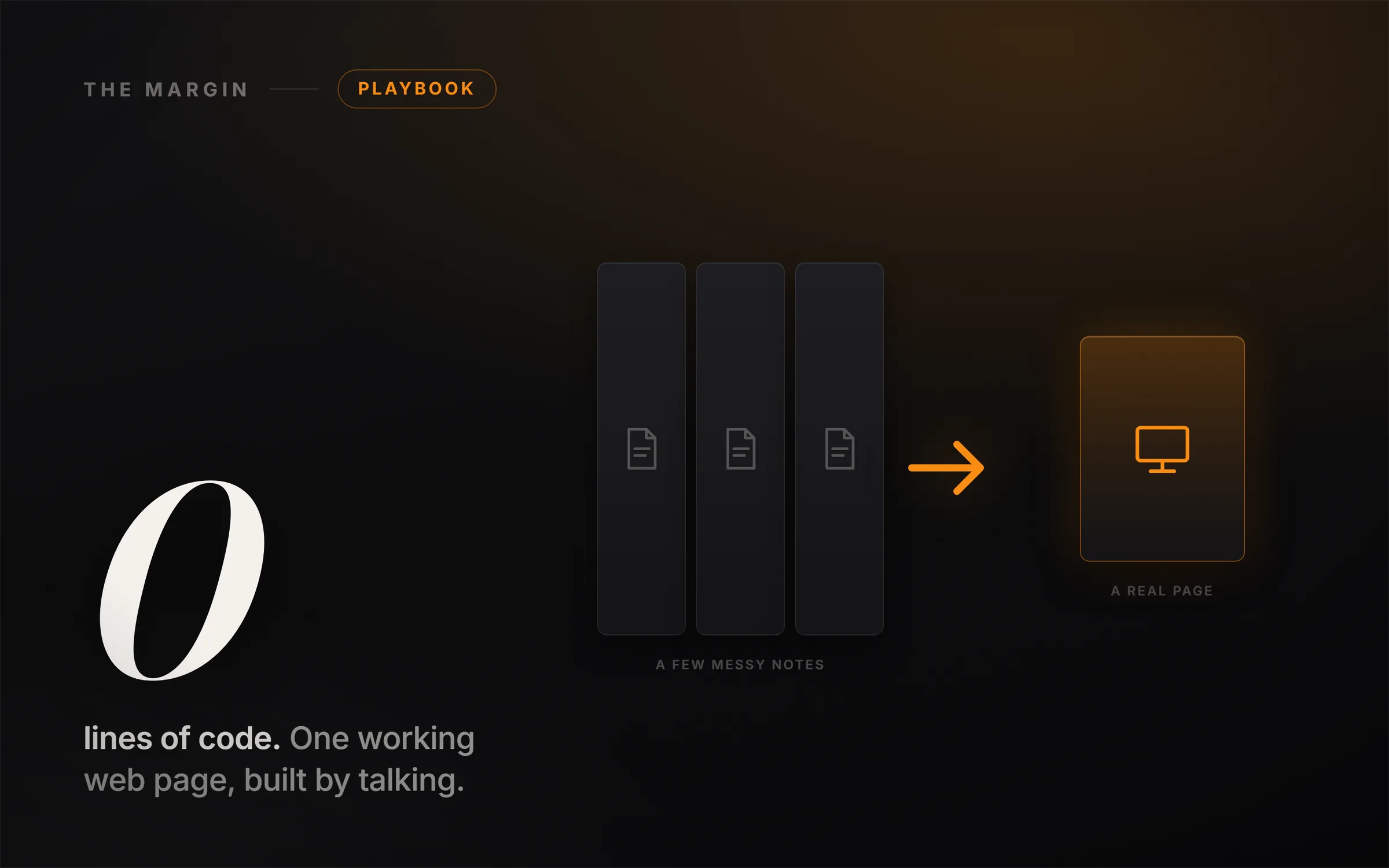
This is a real website. It works, it sits live on the screen, and it was built by someone who has never written a line of code. They did not design it and they did not touch the code. They wrote a few plain notes, dropped them in a folder, and talked to their computer. Someone made a six hour course teaching how to do this. Six hours. We watched all of it so you do not have to, and here is everything a non-coder actually needs, in one read, ending with a real working thing on your own screen.
The tool is called Claude Code, and the single mistake almost everyone makes is thinking it is a chatbot. It is not a chatbot. A chatbot gives you words back and you still have to go do the thing. Claude Code is more like an employee that sits inside your computer, opens your actual files, and does the whole job for you. So here is the reframe that makes all of this click: you are not learning to code, you are learning to manage. You are the manager, and this is your new employee. You onboard it, you tell it what you want, you look at what it did, and you give it feedback. If you can manage a person, you can do this.
In the video we build one real project the whole way through: a coffee bar called Lumen, from a few messy notes to a finished, warm web page, then teach Claude a skill and rebuild a totally different site in one step. This written version stands on its own and gives you every prompt as a clean, copy-ready block.
How do you install Claude Code as a beginner?
Two things before you build. One, you need a paid Claude plan, which starts around twenty dollars a month. The free version will not run this. Two, you install it, and this is where an old tutorial will trip you up, because the way you install it changed. You do not need to install a pile of developer software first. Today it is one line. You paste the install command from Anthropic's Claude Code page, hit enter, and it installs itself. Then you type the word claude, a browser window opens, you log in, and it is running.
Claude Code works inside a folder on your computer. So you make a folder, open it, and tell Claude to set itself up with one command:
/init
It looks around your folder and writes itself a little instruction file called CLAUDE.md. Think of that file as the note you would leave a new hire: what this project is, what the rules are, where things live. You write it once in plain English, and from then on it remembers. That is the onboarding done.
How do you give Claude Code your own files?
Here is what a chatbot simply cannot do: read your actual files. So give it something real. Open a plain text file and type a few messy notes, the kind a human would jot down. In the video it is a coffee bar called Lumen: three drinks, the hours, the address. No design, no code, just notes. Drop that file in the folder, then say, in plain English:
Read my notes.txt and build me a simple one-page website for this.
One HTML file, so I can just open it. Make it warm and inviting.
That is the whole instruction. No coding words. But there is one lever that changes everything, and it is the only prompting rule you really need: the more you tell it, the better it gets. Give it a role and give it context. Instead of "make me a website," say:
You are a designer building a warm little coffee-shop landing page.
Here are my notes: [paste or point to notes.txt].
Build it as one HTML file I can open directly. Keep it warm and inviting.
Same tool, night and day results. Without context, it is just a smart stranger guessing at what you meant.
How do you build something with Claude Code?
In a loop of 4 moves: describe what you want in plain English, let it build, look at the result, then ask for the next change. From a few notes in a text file it writes a whole working web page.
It reads the notes, thinks for a moment, and writes the whole page: every line of code, the layout, the colors, even a little illustration, all from those few notes. You open the file, and there it is, a real working website in your browser. You described it in one sentence and it built the thing.
But you are not done, because this is where managing beats coding. You do not have to accept the first version. You just talk to it:
Make the main headline much bigger and bolder, and warm the color up
to a honey gold.
Add a short section with two friendly customer quotes, and match the
style you already built.
You hit enter, it goes back into the code and changes it, you refresh, done. That is the loop: describe, build, look, refine. You are never stuck, because you can always just say the next thing you want. Notice what you did not do. You did not open the code, Google an error, or ask a developer. You managed, and it built.
One honest note, because we do not sell fairy tales here. It made up the drink descriptions and the customer quotes, because your notes did not include them. It even told you it did that. So you read what it made, fix what is wrong, and keep what is good. That reviewing is your real job as the manager. You can outsource the work. You never outsource the judgment.
How do you check Claude Code's work?
This is the habit that separates people who trust this thing from people who get burned by it. Do not just take its word. Make it prove its work:
Before we call this done, check your own work and show me. Confirm there
are no broken links and no hidden problems, and show me the receipts.
It goes through the page, checks it, and shows you what it found. It is the difference between a new hire who says "it's fine" and one who hands you the checklist. Always ask for the checklist.
What is a Claude Code skill?
A skill is a saved, reusable instruction for a job you do often. Save the page-from-notes job once and Claude Code can do it on any new idea without you explaining it again.
Here is the one feature that turns this from a neat trick into something that compounds. You just walked Claude through building a page from notes. What if you never had to explain that again?
Take what you just did and save it as a reusable skill, so I can go from
a few notes to a finished one-page site any time. Save the method, not
this specific coffee page.
It writes down the whole recipe as a plain text file under .claude/skills. You can read it, share it, or borrow one someone else wrote. From now on, for any new idea, you drop in some notes and run that skill by name:
Use my landing-page-from-notes skill on these notes.
Brand new idea, a completely different website, different words, different colors, its own illustration, in one step, and you never re-explained a thing. That is the difference between using AI and building with it. A prompt is something you type once. A skill is a job you teach once, and it keeps for good. The same goes for that CLAUDE.md file: the more you tell it about you and how you like things, the less you ever repeat yourself.
How do you use Claude Code safely?
Follow 2 rules. Safe: give it a practice folder, not your whole computer. Sane: when a conversation gets foggy, run /clear and start fresh.
Two quick rules before you go.
Safe. This thing can touch your real files and do real things. So the rule is: if it can reach something, assume that one day it will. Do not rely on just asking it nicely. Let it work freely in a practice folder like we did, but do not point it at your whole computer and walk away. Give the new employee a desk, not the master keys, not yet.
Sane. The longer a single conversation runs, the foggier it gets. It starts forgetting the early stuff and making little mistakes. That is normal. The fix is one command:
/clear
It wipes the conversation clean and starts fresh, while your files and your CLAUDE.md stay exactly where they are. When it starts feeling dull, do not fight it. Clear it and go again.
What you actually learned here
That is the six hour course. You can install it, point it at your own stuff, build a real working thing by talking, teach it to do that job forever, and stay safe and sane, all in one sitting. But here is the part most people miss. The website was just the practice. The real skill you picked up is this: you can now hand a messy idea to a machine and get a finished thing back. That works for a landing page. It works for a spreadsheet, a small tool, or a business you have been putting off.
If you want to sharpen the one lever that made all of this work, the prompting, our free Claude prompting course is the place to practice role-and-context on your own projects. And if you are wondering how far this ladder goes, The 6 Levels of Using Claude AI maps the whole climb, from a smarter search box to a business that runs itself. The only question left is what you build first, because the people who win the next few years are not the ones who can code. They are the ones who can manage the thing that does.