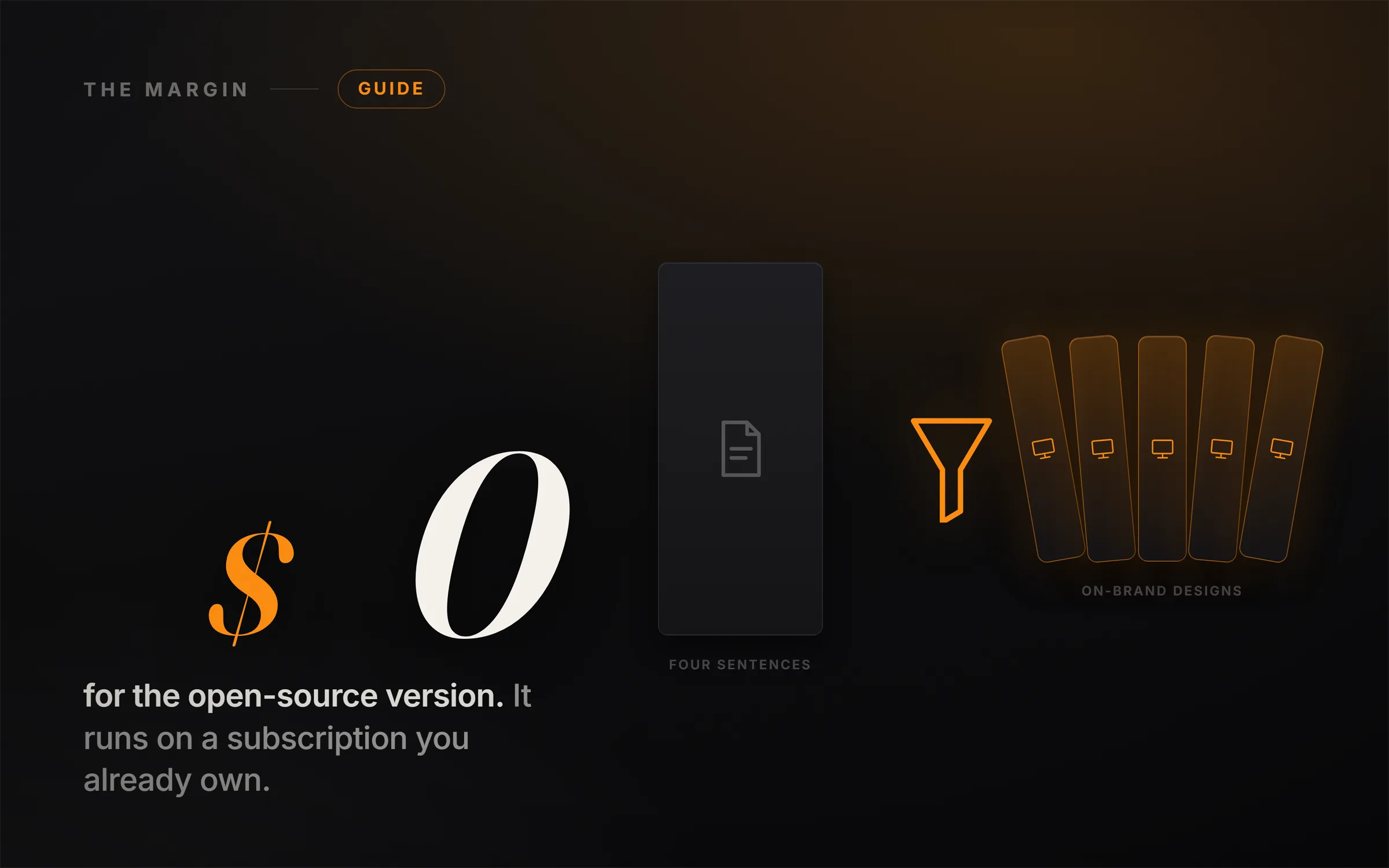
Is Claude Design free? No. Claude Design is Anthropic's new AI design tool, and to use it you need a paid Claude plan, starting at Pro for $20 a month, with a separate weekly design budget that runs out fast. The free, open-source alternative is Open Design, which does very nearly everything Claude Design does on an AI subscription you very likely already pay for.
You bring your own agent, you pay only your own usage, and you can build the exact same slide decks, documents, carousels, animations, and landing pages without ever subscribing to Claude Design at all.
Here is the sentence to hold onto, because it is the spine of everything below. Claude Design's real product is not the model, it is the workflow that turns a few plain sentences about your business into finished, on-brand work. Open Design copied that workflow, made it local-first and free, and let it borrow the intelligence you already have. That single design choice is why the free version is a genuine substitute and not a sad knockoff.
The video above builds five real things from a single four-sentence brief, live, using the free tool. The written guide below stands on its own and goes deeper on the setup, the honest limits, and the one token-saving move most people miss. Read it, watch it, or both.
What is Claude Design?
Claude Design is an AI design tool from Anthropic Labs, launched in research preview at claude.ai/design and powered by Claude Opus 4.7. You describe what you need in plain English, and it builds a first, finished-looking version you can then refine by chatting with it, leaving inline comments, editing text directly, or nudging sliders.
It lives right inside claude.ai, opened from a small design icon in the sidebar shaped like a ruler crossed with a pen. From there it gives you templates for a prototype, a set of slides, a document, a wireframe, or an animation. Three capabilities make it feel different from a normal template gallery. It presents like a real slide tool, with a full-screen mode and speaker notes it writes for you. It reads a design system, meaning your colors, fonts, and components, and applies your brand consistently across everything it makes. And it hands finished work outward, exporting to PDF, PowerPoint, standalone HTML, or Canva, and pushing designs straight to code tools to ship them live. It is a genuinely strong tool. It is also firmly behind a paywall.
Is Claude Design free?
No, Claude Design is not free, and there is no standalone free tier. It is bundled into paid Claude plans: Pro at $20 a month, Max at $100 to $200 a month, Team at $25 per seat, and Enterprise. Access is only part of the story, though, because Claude Design draws on a separate weekly usage budget that is small enough that many users report hitting the limit after only a handful of design prompts. So even paying subscribers can run dry mid-project.
That combination, a required subscription plus a tight weekly ceiling, is exactly why the free alternative matters. If you are curious, on a tight budget, or someone who has already burned through your Claude usage for the week, the paid tool simply stops working for you at the worst moment. The free version does not have that wall.
What is the free alternative to Claude Design?
The free tool is called Open Design, you will find it at open-design.ai, and it ships as a native desktop app. It is open-source under the Apache 2.0 license, the code lives on GitHub as nexu-io/open-design, and it is local-first, meaning your work stays on your own machine. Here is the clever part that makes it nearly free: Open Design does not sell its own AI model at all. It runs on top of whatever AI agent you already have.
That is the whole trick. Open Design is BYOK, bring your own key, and it plugs into Claude Code, Codex, Gemini, Cursor, OpenCode, and around twenty other agents. You are never buying a second subscription. You point it at one you already use and pay only your own API or plan usage. An enormous number of people already have a ChatGPT subscription sitting right there, and it plugs straight in through Codex, which means you can run this entire workflow on something you are already paying for. Alternatives exist in the same space, like the open-codesign project on GitHub or hosted tools such as Banani, but Open Design is the most complete Claude Design clone we have tested and the one the video uses.
How do you set up Open Design?
Setup takes a few minutes, and the one part that scares non-coders is the easiest to get past. Download the desktop app from open-design.ai, open it, and it asks which AI agent you want it to run on. If the first agent you try does not connect, do not panic. Go into settings and pick another one. The install list includes Claude Code, Codex, Gemini, and OpenCode, plus an option called Antigravity that hands out free credits if you want the absolute cheapest route.
The GitHub trick, in three moves
- Click install on your chosen agent. It opens a GitHub page that looks intimidating if you are not a developer. Do not read any of it.
- Copy the GitHub link, paste it into your agent (for example Codex), and say: install the CLI for me. When it asks for permission, say yes, and it does the whole thing itself.
- Back in Open Design, hit rescan, pick your agent, and click test to confirm it is connected. Done.
This is the move worth internalizing beyond this one tool. Any time an AI product throws a GitHub link at you, you never need to decode it. You hand the link to your agent and let it do the reading. That habit alone removes most of the friction beginners hit with open-source software.
What can you build with Open Design?
Here is the mindset that makes this fast, and it is worth slowing down on. Most people freeze in front of a design tool because they start from a blank mind, which is the hardest possible thing to design against. So you start instead from a short, honest description of what you actually do. In the video, the entire input is four sentences about a fictional coffee subscription called Ember: what it sells, who it is for, the voice, and the colors. Every build below comes out of those same four lines.
- A slide deck. Choose the slide-deck template, paste the brief, and ask for a clean pitch deck. It asks a few sharp questions first, how many slides, who it is for, how much detail, the tone, then plans the whole deck before building it slide by slide. You get a complete deck you can present full-screen, with speaker notes written for you, and you can flip the same design between desktop, tablet, and mobile with one click.
- A document. Same brief, document template, ask for a one-page how-it-works infographic. Because your brand is already set (see the next section), it comes back on-brand automatically.
- A social carousel. Take that one-pager and ask for an Instagram carousel of it. It rebuilds the content as multi-slide social posts in your colors, ready to publish.
- An animated launch video. Ask for a short animated launch clip. Open Design can generate images, motion graphics, and video itself through the agent you are already running, so you get kinetic text, a brand-color highlight, a product mockup, and a closing card.
- A landing page. Ask for a small landing page with a signup form. It asks which fields to collect, what happens after submit, and whether to show social proof, then returns a polished, interactive page with your logo, a headline, the full form, and a call-to-action button.
Five real deliverables, from one four-sentence brief, none of them designed by hand. The editing controls mirror the paid tool too: you can click into any text and change it directly, drop a comment on a slide and send it to the agent, or draw a box around one element and tell it exactly what to change, and it redoes only that part.
What is a design system, and why does it matter for AI design?
This is the single most important idea in the whole workflow, and it is what makes builds two through five nearly instant. A design system is simply your brand's rule book: your colors, your fonts, your spacing, and the exact way your buttons and cards look, all written down in one place. You define it once, dropping in your colors and fonts, and from that moment on everything the tool makes comes out on-brand automatically, without you ever explaining it again.
So you build the brand a single time, then ask it to restyle work you already made, and it walks through every slide and reskins all of them in your colors. The before-and-after is night and day. Hold onto this, because it is the quiet compounding advantage the entire approach is built around. You are not designing five things. You are designing a brand once and pouring the same story into five shapes that all inherit it.
Is Open Design as good as Claude Design?
The honest headline is that Open Design does nearly everything Claude Design does, for free, and in a couple of areas it does more. But nearly is not identical, and it is worth being clear-eyed about where the paid tool still has an edge.
Where each one wins
- Price. Claude Design needs a paid Claude plan plus a tight weekly design budget. Open Design is free and open-source; you pay only the usage of an agent you likely already own.
- Model quality. Claude Design runs on Claude Opus 4.7 out of the box. Open Design is only as strong as the agent you point it at, which can be an advantage (pick the best) or a limitation (a weaker agent gives weaker results).
- Polish and fidelity. Claude Design is a single, tightly integrated product with a slightly more refined feel. When you carry a design system between tools, Open Design is not pixel-perfect; a few things shift, though your colors, fonts, and overall feel carry across cleanly.
- Range. Open Design actually offers more surfaces, including mobile apps and native image and video generation, without wiring up a separate service.
- The animation ceiling. Both tools animate using web technology under the hood, so both are excellent for kinetic text, launch clips, and quick promos, and neither is a replacement for real layer-by-layer motion work in a tool like After Effects. Point them at the right job.
One more real difference. Claude Design reaches out to a separate connector called Higgsfield when it needs to generate images or video, where a connector is just a bridge to another service. Open Design generates that media itself through your agent, so there is one less thing to set up. If you want the most polished single-vendor experience and you already pay for Claude, the paid tool is lovely. If you want the same practical output for free, Open Design gets you there.
How do you save tokens when designing with AI?
There is one habit that will save you a serious amount of usage over a real project, and almost nobody does it. Every time you ask an AI to build a page, you normally re-describe your whole brand all over again, your colors, your fonts, your spacing, over and over, and all that repeated explaining quietly burns through your budget.
So do it once. Give your agent the design system a single time, as ready-made building blocks, whether that is Open Design already holding your brand or the paid Claude Design sending its system straight into Claude Code. From then on it builds every future page directly from your brand without you describing any of it again. You set the brand up once and you stop paying, over and over, to explain the same thing. Across a full project, that difference genuinely adds up.
This is the same pattern we keep hitting across every AI workflow worth running: the leverage is not in doing the flashy thing faster, it is in setting up the reusable asset once so everything after it compounds. If you want more breakdowns like this, that is the whole idea behind ideasrepay.com, where we take one useful AI build and follow it all the way to something people actually pay for.
Should you use Claude Design or the free version?
Use the free version first. Open Design costs you nothing beyond usage you may already be paying, it does nearly everything, and it lets you learn the entire workflow, briefs, design systems, editing, exporting, and shipping to code, without a subscription decision. If you later find you want the extra polish and the tightest single-vendor experience, and you already pay for Claude, adding Claude Design is easy. Starting free simply means you never gate your learning behind a paywall or a weekly limit.
And the deeper point sits underneath the tool choice entirely. Designing five things from one brief is genuinely useful, but a stack of beautiful assets is not a business by itself. The money shows up when those designs sell something real to a specific person. That is the gap between a fun weekend and an actual outcome, and it is the same gap we wrote about in why vibe coding won't make you money. The building got free. The customer is still the business.
Frequently asked questions
Is there a free version of Claude Design?
Claude Design itself is not free, but Open Design (open-design.ai) is a free, open-source alternative under the Apache 2.0 license that does nearly everything Claude Design does. It runs on your own AI agent, so you pay only your usage, not a new subscription.
How much does Claude Design cost?
Claude Design is included in paid Claude plans: Pro at $20 a month, Max at $100 to $200 a month, Team at $25 per seat, and Enterprise. There is no standalone price, and it draws on a limited weekly design budget on top of your plan.
What can Open Design build?
Slide decks, documents and infographics, social carousels, wireframes and interactive prototypes, mobile app layouts, animations and motion graphics, and images and video. You can present, edit by hand or by asking the agent, export to HTML, PDF, PPTX, or MP4, and push designs to code tools to ship them.
Do I need to know how to code to use Open Design?
No. The one moment that looks technical, installing an agent from GitHub, is handled by pasting the GitHub link into your AI agent and asking it to install the CLI for you. You never read or write code yourself.
Is Open Design safe and legitimate?
It is open-source and local-first, meaning the code is public on GitHub (nexu-io/open-design) and your work stays on your own machine rather than a company's servers. You bring your own API key, so your AI usage runs through your own account.
Can I use Claude Design without a Claude subscription?
Not directly. Claude Design requires a paid Claude plan. To get the same kind of output without a Claude subscription, use Open Design running on an agent you already have, such as Codex tied to a ChatGPT subscription.