Your cold emails go to spam because the decision is made by the receiving company's own filter, not by the public rulebook everyone quotes at you, and because nothing on your side reports it when the message is filed away. The email leaves your outbox. It appears in your sent folder. There is no bounce, no error, no notification. From where you are sitting, a message that landed in an inbox and a message that was quarantined by an IT administrator look exactly the same.
That is the part worth sitting with. Cold email is one of the few sales channels where failure reports nothing back at all, and it means the beginner who sends fifty emails and gets nothing cannot tell which of two completely different things just happened. Either fifty people read the message and were not interested, which is a copy and targeting problem. Or the messages were never seen, which is an infrastructure problem. Those two failures have opposite fixes, they feel identical, and most people quit on the wrong one.
So we went and read the primary documentation instead of the advice built on top of it. Google's, Yahoo's, the SPF and DMARC specifications, and the US statute. One line in Google's own FAQ turned out to invalidate most of what gets repeated in this genre, and it is quoted in full below.
Why do cold emails go to spam?
Because a cold email is, by definition, mail from a stranger to a recipient who never asked for it, and every modern filter is built to score exactly that. The score is assembled from things you control and things you do not: whether the sending domain proves it is allowed to send, how old the domain is, how many other people have marked mail from that domain as spam, whether the message resembles a template sent to thousands, and what the recipient's own administrator has decided to do with mail that fails any of those checks.
Almost all published advice concentrates on the last item on that list, the copy, because copy is the fun part and the part a course can sell you. The copy is real. It is also the last gate, and it only matters once the message has passed the gates in front of it.
The important structural fact is that there are two separate rulebooks in play and they are usually confused with each other. There is the public rulebook that the large consumer mailbox providers publish, which is precise, quotable, and easy to build a blog post around. And there is the private filtering of the individual company you are emailing, which is unpublished, differs per company, and is the one that actually decides. The rest of this piece separates them, because once they are separated, most of the standard advice sorts itself into "true but about someone else" and "true and about you."
Do Google's bulk sender rules apply to cold email?
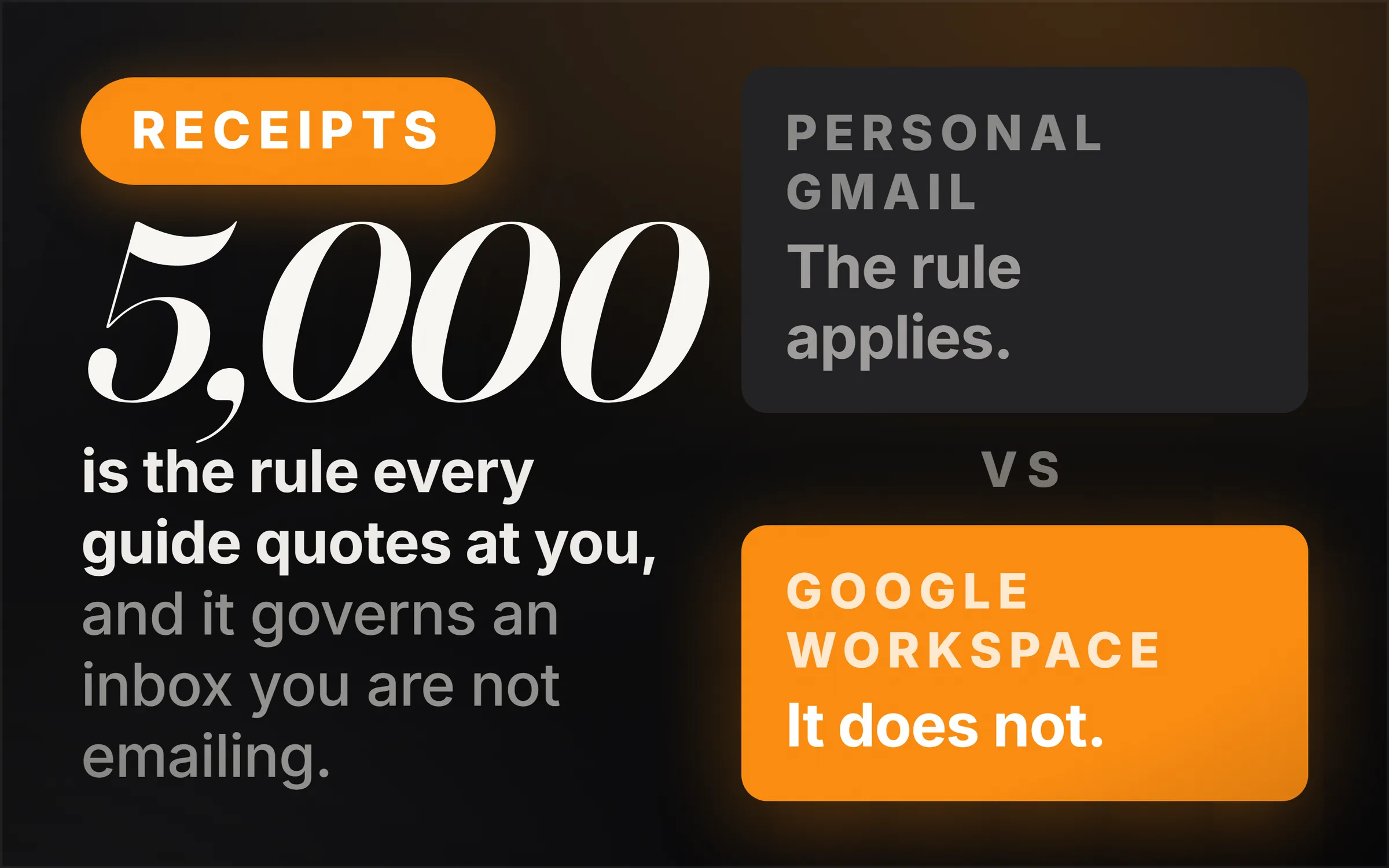
No, and this is the finding that reorganises the whole subject. Google's email sender guidelines FAQ states it without hedging: "The Email sender guidelines don't apply to messages sent to Google Workspace accounts." The same page puts the positive half of the scope just as plainly: "All senders, including Google Workspace users, must meet the requirements in our Email sender guidelines when sending messages to personal Gmail accounts."
Read what that means for cold outreach. You are emailing businesses, and a business with its own domain almost always runs its mail on Google Workspace or on Microsoft 365. Neither of those is a personal Gmail account. Google says in writing that the Workspace half sits outside the scope of its guidelines, and Microsoft 365 was never inside it to begin with. The famous requirements, which Google publishes here and which define a bulk sender as anyone sending "close to 5,000 messages or more to personal Gmail accounts within a 24-hour period," are aimed at newsletter platforms and retailers mailing consumers. They are not the rules your prospecting is judged against, and Google enforcement of them is not what is happening to your campaign.
There is one sharp exception, and it is worth knowing because it inverts the usual assumption. Plenty of small businesses still run on a plain gmail.com address. The salon, the plumber, the single-van removals company. For those prospects, and only those, you are mailing a personal Gmail account and the published rulebook applies in full. So the rules everyone quotes at you cover precisely the slice of your list that looks least corporate, and go quiet on the slice that looks most.
None of this makes the requirements pointless. Authenticating your domain, keeping complaint rates low and honouring unsubscribes are good practice everywhere, and Yahoo's sender best practices ask all senders for SPF or DKIM at a minimum regardless of volume. The correction is narrower and more useful than "ignore it": stop treating a consumer bulk-mail standard as the specification your B2B outreach is being graded against, because it is not, and building your entire sending strategy around a 5,000 a day threshold you will never approach is an expensive misreading.
What actually decides whether a cold email reaches a business inbox?
The receiving organisation's administrator, through settings most senders have never seen. Google Workspace ships an inbound protection called "Protect against any unauthenticated emails," which covers messages lacking SPF or DKIM authentication. Per Google's admin documentation, what that protection does when it fires is an administrator's choice from three options, and the one marked "Keep email in inbox and show warning (Default)" is the default of the three.
Sit with those three actions, because they are the three fates of an unauthenticated cold email. It can be delivered with a warning banner attached, which is the default action and is arguably worse than being filtered, because your first impression is a security warning. It can be moved to spam. Or it can be quarantined, which means it is held for administrator review and the recipient never learns it existed. Which of the three happens is decided by a person you will never meet, at a company you are trying to sell to, based on a preference they set years ago.
This is the honest answer to "why did my email go to spam." Not a rule you broke. A setting someone else chose, applied to a message that gave the filter nothing to verify it with. Which is why authentication is not a compliance box for cold email. It is the difference between being evaluated on your message and being evaluated on your paperwork.
Why don't you get a bounce when a cold email is filtered?
Because filtering is not a delivery failure. A bounce is generated when a receiving server refuses the message during the SMTP conversation. Spam classification happens after the server has already accepted it, so the transaction succeeded, the message is delivered, and the only question left is which folder it lands in. Nothing about a folder is reportable back to you.
Google's own phrasing for what happens to mail that fails its requirements is instructive: your email "might not be delivered as expected, or might be marked as spam." The FAQ notes that enforcement does produce temporary 4.7.x and permanent 5.7.x rejections, which do bounce and which you would see, but those apply to the personal Gmail traffic covered above. The ordinary fate of an unremarkable cold email at a company that filtered it is silence that is indistinguishable from disinterest.
Open tracking does not rescue you either, and it is worth saying plainly. A tracking pixel is a remote image, and a message sitting in a spam folder does not load remote images, so a filtered email reports zero opens. An email read by a genuinely uninterested prospect with image loading off also reports zero opens. The instrument returns the same reading for both, which makes it useless for the exact question you are asking it.
Can you measure your own cold email deliverability?
At the volumes a beginner sends, largely no, and this is the second uncomfortable finding. Google Postmaster Tools is the instrument everyone points to, and Google's help page is explicit about its floor: "Data might be missing if the total number of messages for a given day is too low. This is to protect users' privacy." Someone sending forty emails a day is under that floor. There is no spam rate for them to read.
So the honest position is that the beginner is flying without the one gauge the advice assumes they have, and any guidance that says "watch your spam rate in Postmaster Tools" is quietly addressed to somebody sending thousands a day.
What you can do instead is stop treating your results as one number and start treating them as a comparison. A total, "I sent a hundred and got nothing," proves only that the last hundred failed. It cannot distinguish the two failures this article opened with. But two batches can. Send the same message to comparable prospects from two different sending setups, or the same setup on two different weeks, and the difference between them is signal. Seed a few addresses you control at ordinary providers into the list and go look at which folder your own message landed in. That is a crude instrument and it is far better than none, because it converts an invisible variable into a visible one.
This is the discipline that separates people who improve from people who guess: change one thing at a time and keep the comparison, not the total. It costs nothing and almost nobody does it.
How many cold emails can you send a day from Gmail?
Google Workspace's hard technical ceiling is 2,000 messages per user per day, dropping to 1,500 for mail merge and 500 for trial accounts, with a limit of 3,000 external recipients a day and 2,000 recipients per message. Cross a limit and, in Google's words, users "can't send new messages for up to 24 hours." Those figures are published in Google's sending limits documentation.
Now the number that matters. That ceiling is a technical maximum, not a recommendation, and the practical figure for cold outreach from a normal domain is an order of magnitude below it. The reason is not a rule. It is that reputation is built on ratios, and a brand new domain sending hundreds of unsolicited messages a day has a volume history that looks like exactly one thing.
There is a related trap on the Microsoft side worth naming, because cheap sending mailboxes are often Microsoft 365. Microsoft's documentation on outbound delivery pools states that messages "where the source email domain has no A record and no MX record defined in public DNS are always routed through the high-risk delivery pool, regardless of their spam or sending limit disposition," and that "delivery to the intended recipients isn't guaranteed" from that pool. A domain bought last week, pointed at nothing, with no website and no mail records, is describing itself accurately to every machine that looks.
Do you need SPF, DKIM and DMARC for cold email?
Yes, and the reason is the administrator setting described above rather than any rule Google enforces against you. Unauthenticated is the one category that a receiving organisation is handed a ready-made switch to banner, bin or quarantine. Do not volunteer for it. That alone settles the question.
Two failure modes are worth knowing because both are silent, which makes them the same species as everything else in this article.
The first is the SPF lookup limit. RFC 7208, the SPF specification, requires implementations to "limit the total number of those terms to 10 during SPF evaluation," and states that if the limit is exceeded the implementation "MUST return 'permerror'." Every include, a, mx, ptr and exists mechanism counts. Add your mail host, your marketing tool, your invoicing tool, your helpdesk and your sending platform to one record and you can quietly cross ten, at which point your SPF does not partially work. It errors, for everything, and nothing tells you.
The second is DMARC set to do nothing. Most guides tell you to publish a DMARC record and most generated records come out at p=none. RFC 7489 defines that value as follows: "The Domain Owner requests no specific action be taken regarding delivery of messages." It is a monitoring policy. It is genuinely useful, because the reports it returns are how you discover what is sending as you, but publishing it and calling your domain protected is a misunderstanding. The policies that ask a receiver to act are quarantine, which asks that failing mail be treated "as suspicious," and reject, where rejection "SHOULD occur during the SMTP transaction."
The order these are set up in matters more than any individual record, because one of them can break another and the breakage is invisible. That sequence, and the checks that confirm each step before the next, is the part worth being careful about. Naming the three acronyms is the easy half.
Should you send cold email from your main domain?
No, and there is a specific, documented reason that goes beyond the usual hand-waving about reputation. Google's FAQ states that "Bulk sender status doesn't have an expiration date," and that "Messages sent from the same primary domain count toward the 5,000 limit." Its own worked example is a sender splitting 2,500 messages across a domain and 2,500 across a subdomain of it, and being counted as one sender of 5,000.
Does not expire is a quiet phrase for a permanent consequence, and Google chose it. Reputation attaches to the domain, not to the campaign, and the domain is the thing your invoices, your contracts, your password resets and your client conversations all ride on. Burning it to test an outreach idea is a trade almost nobody would accept if it were priced out loud, and it gets accepted constantly because the cost arrives months later and never announces what it is. The failure looks like a client saying they never got your proposal.
The separation is not exotic. A different domain for prospecting, kept away from the domain the business runs on, is the standard arrangement for anyone who does this seriously, and it is cheap. What it is not is free of setup, and the setup is where people cut corners and end up worse off than if they had done nothing, because a second domain configured badly is a second bad reputation rather than a clean one.
Is cold emailing businesses legal?
In the United States, yes, with conditions, and the conditions are in the statute rather than in anybody's blog post. 15 U.S. Code section 7704 requires a functioning return address or other opt-out mechanism, "clearly and conspicuously displayed," which "remains capable of receiving such messages or communications for no less than 30 days after the transmission of the original message." It makes it unlawful to keep sending more than 10 business days after an opt-out request is received. It requires "a valid physical postal address of the sender." And it prohibits a subject heading the sender knows "would be likely to mislead a recipient."
Note what is not on that list. There is no consent requirement. US law does not ask permission before a commercial email is sent, which is the legal basis on which cold outreach operates at all, and the four obligations above are the price of it. The physical address requirement is the one small operators skip most often and it is not optional.
Outside the United States the position is different and materially stricter in places, with consent-based regimes covering electronic marketing in the UK and EU and rules that treat some small businesses as individuals. We have not verified those provisions to the standard we hold ourselves to here, so we are not going to summarise them from memory. If your list crosses a border, read the destination regulator's own guidance before you send, not a vendor's summary of it.
Does warming up a domain actually work?
Warming up in the real sense, which is starting at low volume and increasing gradually while real people reply to you, works, because the thing being built is a sending history that looks like a person rather than a machine. There is no shortcut in that sentence and no product that sells it to you.
Warmup networks, the services where pools of accounts email each other and mark the mail as important, are a different proposition, and the honest description is that they manufacture engagement signals that do not correspond to anything. Whether filters detect the pattern is not really the interesting question. The interesting question is what you are left holding. A domain with a fabricated reputation and no real replies has told you nothing about your offer, cost you a monthly fee, and delayed the only feedback worth having.
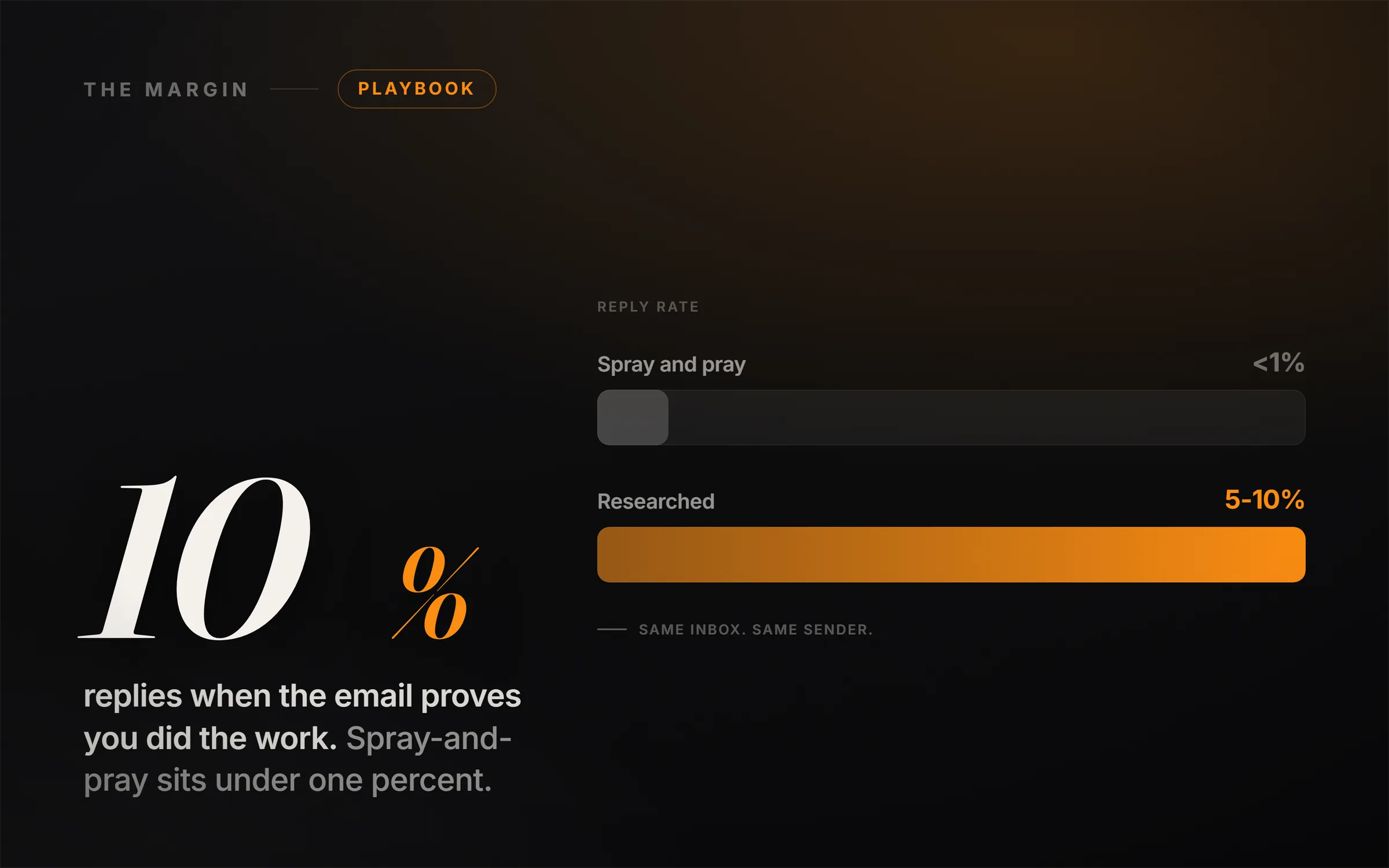
The alternative is slower and unglamorous. Send few, send to people you have actually researched, and let the reply rate be the reputation. As we argued in how to write cold emails with Claude that get replies, the research is the leverage, and a message that opens on one true fact about the recipient's business gets treated as correspondence rather than as campaign traffic by both the filter and the human. Those two audiences want the same thing, which is convenient, and it is the only optimisation in this field that works on both at once.
What to check before you send another cold email
The single most valuable thing in this article is not a setting. It is the question you should be able to answer before you conclude anything from your results: do I currently know whether my messages are arriving?
If the answer is no, then no amount of subject line testing means anything, because you are tuning the last gate while an earlier one is closed, and every result you collect is contaminated. Fix the sending side once. It is a one-time job, it is boring, and afterwards every reply and every silence is honest information about your offer instead of a mixture of two unrelated problems.
The five questions worth answering first
- Is the mail authenticated? SPF and DKIM at minimum, or you file yourself into the one category a receiving administrator is handed a switch for.
- Is the SPF record under ten lookups? Over ten and it returns permerror for everything, silently.
- Is DMARC doing anything, or is it at p=none? Monitoring is useful. It is not protection.
- Is this the domain the business runs on? Bulk sender status does not expire, and reputation attaches to the domain rather than to the campaign that damaged it.
- Can I tell arrival from disinterest? If not, that is the first thing to build, before the next hundred sends.
The genre sells cold email as a numbers game, and the arithmetic quietly assumes every message is seen. Remove that assumption and the same hundred sends stop being a verdict on your business and go back to being what they are, which is a hundred sends from a setup you have not checked. The people who make this work are not sending more. They are sending from something that arrives, to people they actually looked at, and they know which of those two things they are testing at any given time.
If you are earlier than this and still deciding who to email at all, we wrote out the whole sequence in how to get your first client without asking for one, and the business you point it at is covered in how to start an AI consulting business.