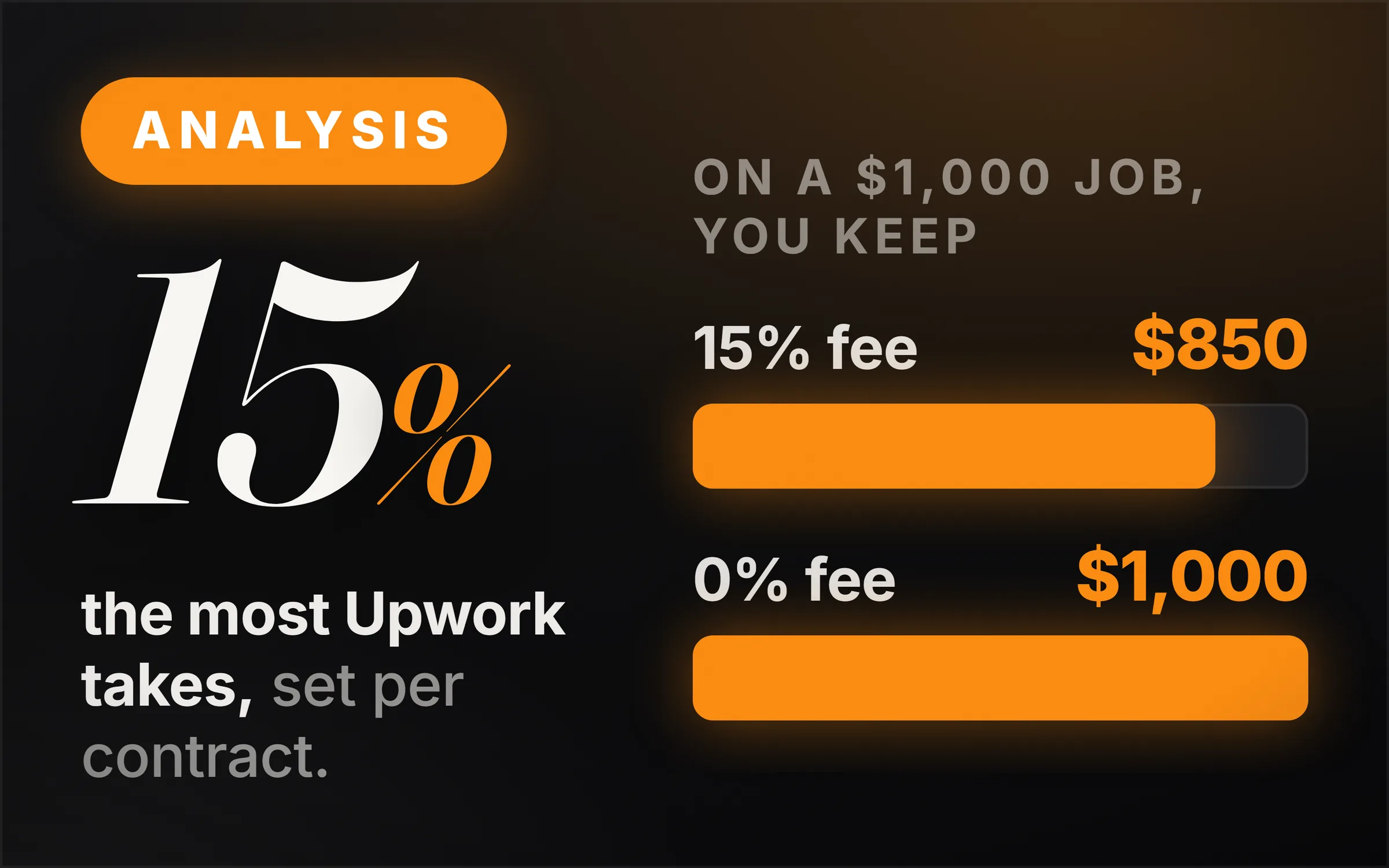
Upwork takes a Freelancer Service Fee of 0% to 15% of what you earn on each contract. The exact percentage is set per contract, shown to you before you send a proposal or accept an offer, and fixed once the contract begins. On top of that, you pay $0.15 for each Connect you use to apply for jobs. The client pays separate fees of its own: a Client Marketplace Fee of up to 7.99% and a Contract Initiation Fee of $0.99 to $14.99.
On a $1,000 job, that means you keep $850 to $1,000, depending on the fee shown on that contract, less whatever you spent on Connects to win it.
How much is Upwork's freelancer fee?
0% to 15% of what you earn on each contract. Upwork's help page says "The fee ranges from 0% to 15% per contract", and it covers payment protection, fraud prevention and dispute resolution. You pay it on all earnings, including bonuses, and it shows as its own line in your Transactions report.
The percentage is not the same on every job. Upwork says the fee "is set based on factors that help support a balanced and competitive environment across different types of work", and does not publish the formula. What it does promise is that you see the number first: the percentage appears when you submit a proposal or receive an offer, and "Once your contract begins, the fee is fixed and won’t change."
| On a contract worth | At a 0% fee | At a 10% fee | At a 15% fee |
|---|---|---|---|
| $500 | $500 | $450 | $425 |
| $1,000 | $1,000 | $900 | $850 |
| $5,000 | $5,000 | $4,500 | $4,250 |
What the freelancer keeps before Connects, tax and withdrawal fees. Fee range from Upwork's Freelancer Service Fee help page, 22 October 2026.
If a client is refunded, Upwork returns the fee you paid on that amount. In its own example, a $100 refund at a 10% fee gives you back $10.
Want a service where clients pay you directly, with no marketplace in the middle? The AI Automation Agency walkthrough lays it out step by step.
How do you set your Upwork rate so you take home what you want?
Divide the rate you want by 1 minus the fee. At a 10% fee, a take-home of $20 an hour means billing $22.22. That is Upwork's own worked example: 12 hours at $22.22 bills the client $266.64, the 10% fee is $26.66, and you net $239.98.
The same arithmetic at other fees: to take home $50 an hour, bill $55.56 at a 10% fee or $58.82 at 15%. Upwork's proposal screen has a built-in rate calculator that does this for you once it shows the fee. To work out the take-home rate in the first place, from the income you need and the hours you can actually bill, use the freelance hourly rate calculator.
How much do Upwork Connects cost?
$0.15 each, sold in bundles. Connects are the tokens you spend to send a proposal, to boost a proposal up the client's list, and to show an Availability Badge. Upwork says the number a job needs "varies per job and can change during the time the job is posted", so there is no fixed cost per proposal.
Some Connects are free. Upwork's help page lists a one-time bonus of 50 Connects for some new users, 10 free Connects a month for some freelancers under offers it runs "at times", and 30 Connects for each badge earned (Rising Talent, Top Rated and Top Rated Plus). Freelancer Plus members get 100 Connects a month. Connects expire one year after they are issued.
The real cost of Connects is in how many proposals it takes to win a job. A freelancer who sends 40 proposals to win one client has spent the Connects for 40. That number is not published anywhere, and it depends mostly on how well each proposal fits the job.
How much is Freelancer Plus?
We could not verify the web price. Upwork's Freelancer Plus page lists what it includes, 100 Connects a month and a 0% fee on Direct Contracts among them, but the price did not display to our reader. The only price on the page is for subscriptions bought through Apple: "The Freelancer Plus monthly subscription price is $27 per month."
Whether it pays depends on two numbers you can work out. At $0.15 each, 100 Connects are worth $15 a month. If you bring clients onto Upwork through Direct Contracts, Freelancer Plus also removes the 5% fee on those contracts, so on $1,000 a month of Direct Contracts work it saves $50.
What fee do you pay if you bring your own client to Upwork?
5%, or 0% with Freelancer Plus. Upwork calls this Direct Contracts: you invite a client you found yourself, and the contract runs through Upwork's payment protection. Upwork's help page gives the example: "if your earnings are $100 USD you'll be charged a fee of $5 USD."
The client still pays its own fees on a Direct Contract, including the Contract Initiation Fee. Upwork also lists other exceptions: freelancers on Upwork Payroll and on Any Hire contracts pay no Freelancer Service Fee, and freelancers working with Enterprise clients "Typically" pay 10%.
What does the client pay Upwork on top?
Up to 7.99% of every payment, plus $0.99 to $14.99 per contract. A client on Upwork's free Basic plan pays a Client Marketplace Fee "of up to 7.99%" on all payments to freelancers, or a reduced 3% when paying from a qualifying US bank account. Each new contract also carries a one-time Contract Initiation Fee "ranging from $0.99 to $14.99 USD."
So on a $1,000 job at a 10% freelancer fee, the client pays up to about $1,095 and the freelancer receives $900. Upwork's total share can be close to $195 of the $1,095. That gap is worth knowing when a client says your rate is high: some of what they see is Upwork's fee, not yours.
How much does it cost to withdraw money from Upwork?
Free to a US bank for freelancers with a US tax address. Upwork's help page says Direct to U.S. Bank withdrawals are free for them, and the money arrives in two to five business days. From 1 September 2026, a $2.99 fee applies to each Direct to U.S. Bank withdrawal for freelancers whose tax address is outside the United States.
For PayPal, Upwork's page says "Upwork charges a small fee per transfer" and that PayPal may charge its own fees, but it does not print the amount; it says to check the fee in your settings. We could not verify the PayPal figure, so it is not on this page.
The honest hard part
The fee is not the hard part. Even at 15%, a $1,000 job leaves $850, and the client found you through a marketplace you did not pay to build. The hard part is winning the job at all: every proposal costs Connects, and new profiles with no reviews compete with freelancers who have hundreds.
The second hard part is that the fee is not under your control. Upwork does not publish how it sets the percentage, so two similar jobs can carry different fees. The only protection is that you see the number before you bid, so check it on every proposal and price the job with it in mind.
The third is dependence. A freelancer whose every client is on Upwork has a business that works on Upwork's terms. The usual way out is to use Upwork for the first clients and reviews, and then find the next ones directly, as in how to get your first client. For a comparison with the other big marketplace, see how much Fiverr takes.